Pixel Art Icons for Games: 16x16 vs 32x32, Sharp Scaling and a Free RPG Set
How to use pixel art icons in a game: 16x16 vs 24x24 vs 32x32 icon sizes, keeping them sharp in Unity, Godot and GameMaker, spritesheets, and a free set of 70 pixel art RPG icons.
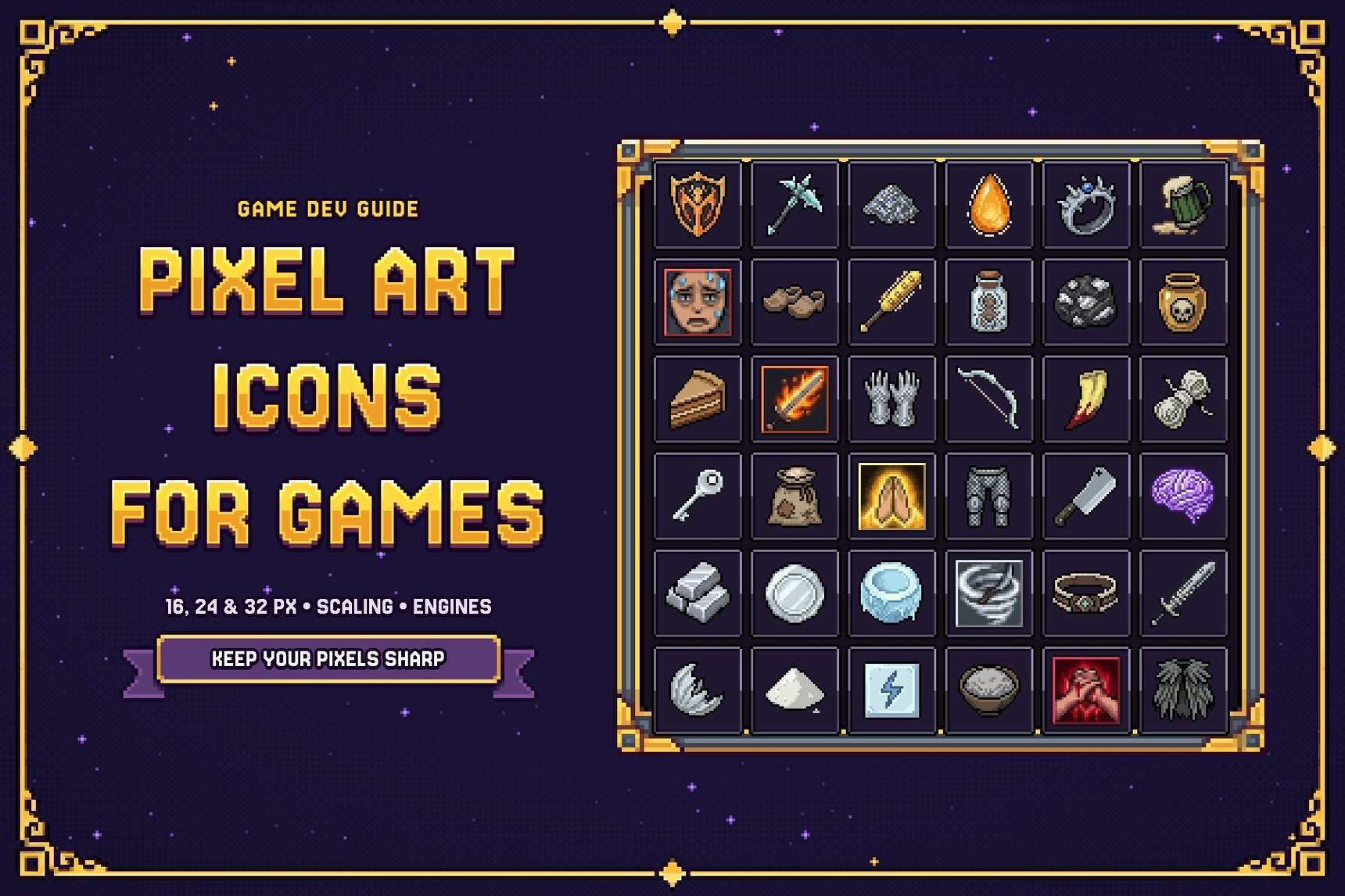
Pixel art icons follow different rules than vector icons. They are drawn on a fixed grid, they cannot be resized freely, and one wrong import setting makes them blurry. This guide covers which icon size to pick (16x16, 24x24 or 32x32), how to keep pixel art sharp in Unity, Godot and GameMaker, how to use icon spritesheets, and where to get a free pixel art RPG icon set to test in your own UI.
What Makes Pixel Art Icons Different
A vector icon is a shape that can be drawn at any size. A pixel art icon is a grid of hand-placed pixels, so every size is a separate drawing:
- Fixed grid. A 32x32 icon has exactly 1,024 pixels. Each one is a decision, and scaling by 1.5x breaks that grid.
- No anti-aliasing. Edges are hard steps, not soft gradients. Smoothing filters in the engine add the blur that the artist avoided.
- Limited palette and a dark outline. A small set of colors plus a 1-pixel outline keeps items readable on any inventory slot background.
- Small sizes are redrawn, not shrunk. Downscaling a 32 px icon to 16 px loses the outline and details. Good 16 px versions get their own cleanup pass.
If your game uses pixel art sprites and tiles, use pixel art icons too. Smooth vector icons next to pixel characters look like they come from a different game. For a vector or painted style, see our guide to choosing RPG icons.
Pixel Art Icon Size: 16x16 vs 24x24 vs 32x32
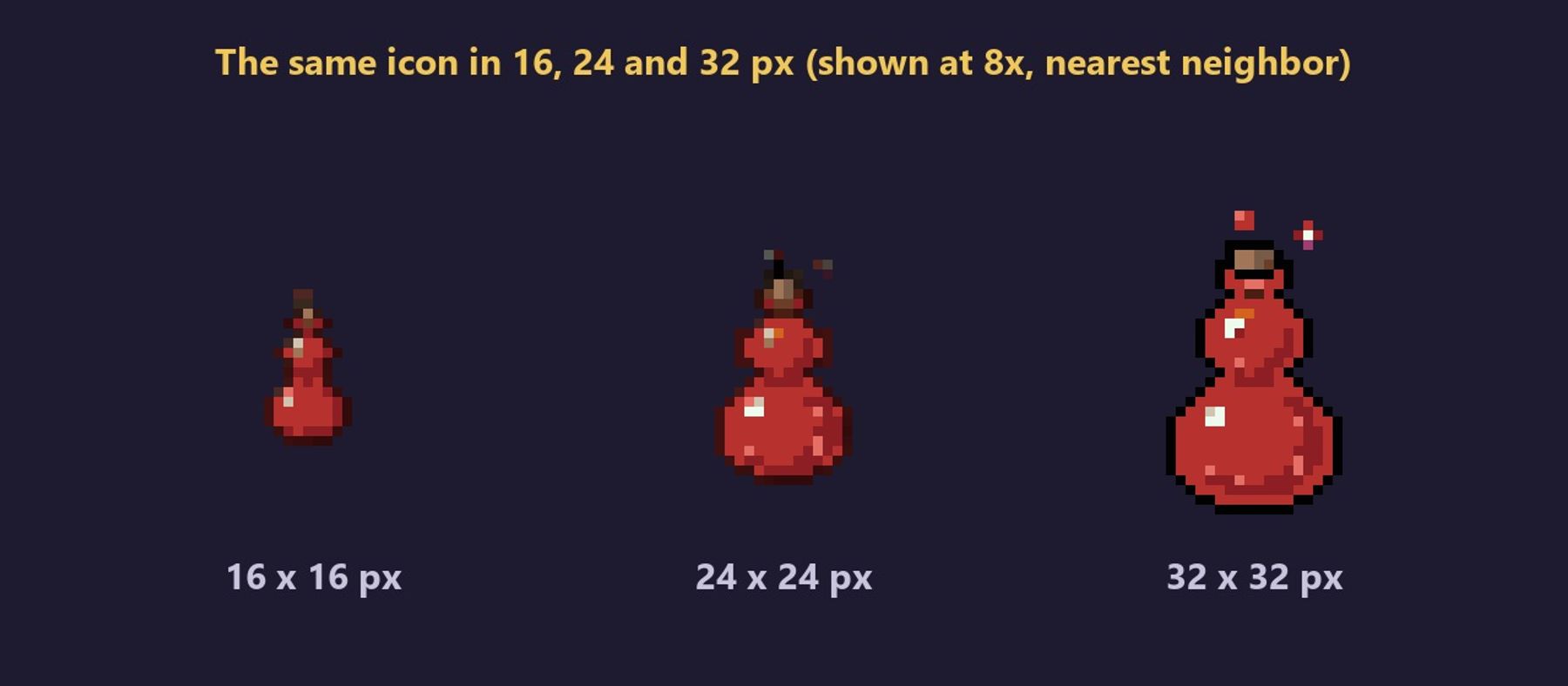
The right size depends on your game's base resolution and how much detail the player needs to see:
| Size | Best for | Readability | Typical use |
|---|---|---|---|
| 16x16 | Low-resolution games (e.g. 320x180 base) | Shape and color only | Hotbars, small inventories, status icons, minimaps |
| 24x24 | Mid-resolution UI, RPG Maker VX Ace | Shape plus one or two details | Item lists, menus, shop screens |
| 32x32 | 640x360 base or higher, RPG Maker MV/MZ | Clear details (gems, runes, damage) | Inventory grids, tooltips, crafting, loot windows |
16x16 vs 32x32 pixel art, in short: 16x16 reads instantly but can only show the silhouette and the main color, so similar items (iron vs steel sword) become hard to tell apart. 32x32 has four times the pixels, enough for materials, gems and wear. Many games use both: 16 px in the hotbar and 32 px in the inventory and tooltip, as long as both sizes are drawn in the same style.
Pick the size that matches your grid before you build the UI. Then display it only at whole multiples: a 16 px icon at 2x, 3x or 4x, never at 1.5x.
How to Keep Pixel Art Icons Sharp
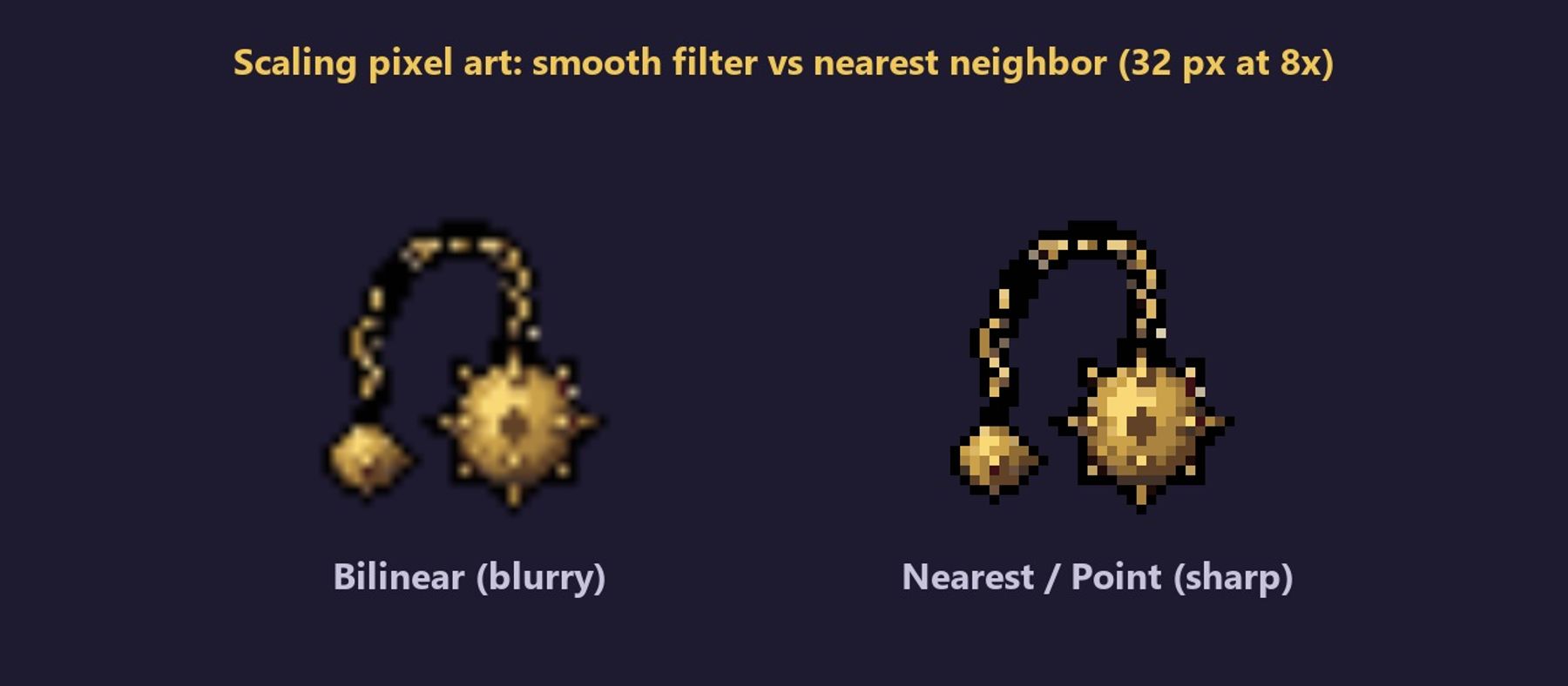
Blurry pixel art icons are almost always an import or scaling setting, not a problem with the file:
- Unity: in the texture import settings set Filter Mode to Point (no filter) and Compression to None. Keep Pixels Per Unit consistent with your sprites.
- Godot 4: set the texture filter to Nearest (per node, or project-wide in Rendering → Textures → Canvas Textures → Default Texture Filter).
- GameMaker: turn off texture interpolation in the game options for each platform.
- Web and CSS: use
image-rendering: pixelated;on the image. - Everywhere: scale by whole numbers and place icons on whole-pixel positions. An icon at x = 10.5 smears across two pixel columns.
The same rules apply to pixel fonts. If your UI text also looks soft, see how to keep pixel fonts sharp.
Using Icon Spritesheets in Your Engine
Loading hundreds of separate PNG files is slow to set up. A spritesheet packs icons into one image on a fixed grid, usually with a JSON file that lists where each icon sits:
- Unity: set Sprite Mode to Multiple, open the Sprite Editor and use Slice → Grid By Cell Size with the icon size (e.g. 32x32).
- Godot: use an
AtlasTexturewith a region per icon, or aSprite2Dwith Hframes/Vframes for a uniform grid. - Phaser:
this.load.atlas(key, 'sheet.png', 'sheet.json')reads a JSON hash atlas directly. - GameMaker: import the sheet as a strip image with the frame width and height set to the icon size.
Using RPG Maker? It needs one IconSet image in a fixed layout. Our RPG icons guide explains the IconSet size and grid.
Pixel Art Items: What an RPG Inventory Needs
A pixel art RPG needs far more item icons than most developers plan for. Group them before you start, so every category is drawn in the same style:
- Equipment: helmets, chest armor, gloves, boots, belts, cloaks, shields.
- Weapons and magic: swords, axes, bows, crossbows, staves, wands, orbs, grimoires, ammo.
- Alchemy and loot: potions, flasks, herbs, mushrooms, bones, fangs, scales, monster trophies.
- Crafting materials: ores, bars, gems, wood, stone, textiles, tools, components.
- Treasure: coins, rings, amulets, keys, scrolls, runes, relics, chests.
- Food and fishing: fish, meat, bread, vegetables, drinks, meals, fishing gear.
- Skills and effects: fire, frost, lightning, holy, shadow, poison, buffs and debuffs.
This is the same structure as our pixel art RPG icon series below, so you can start with the free set and add categories as the game grows.
Free Pixel Art RPG Icons (70 Icons)
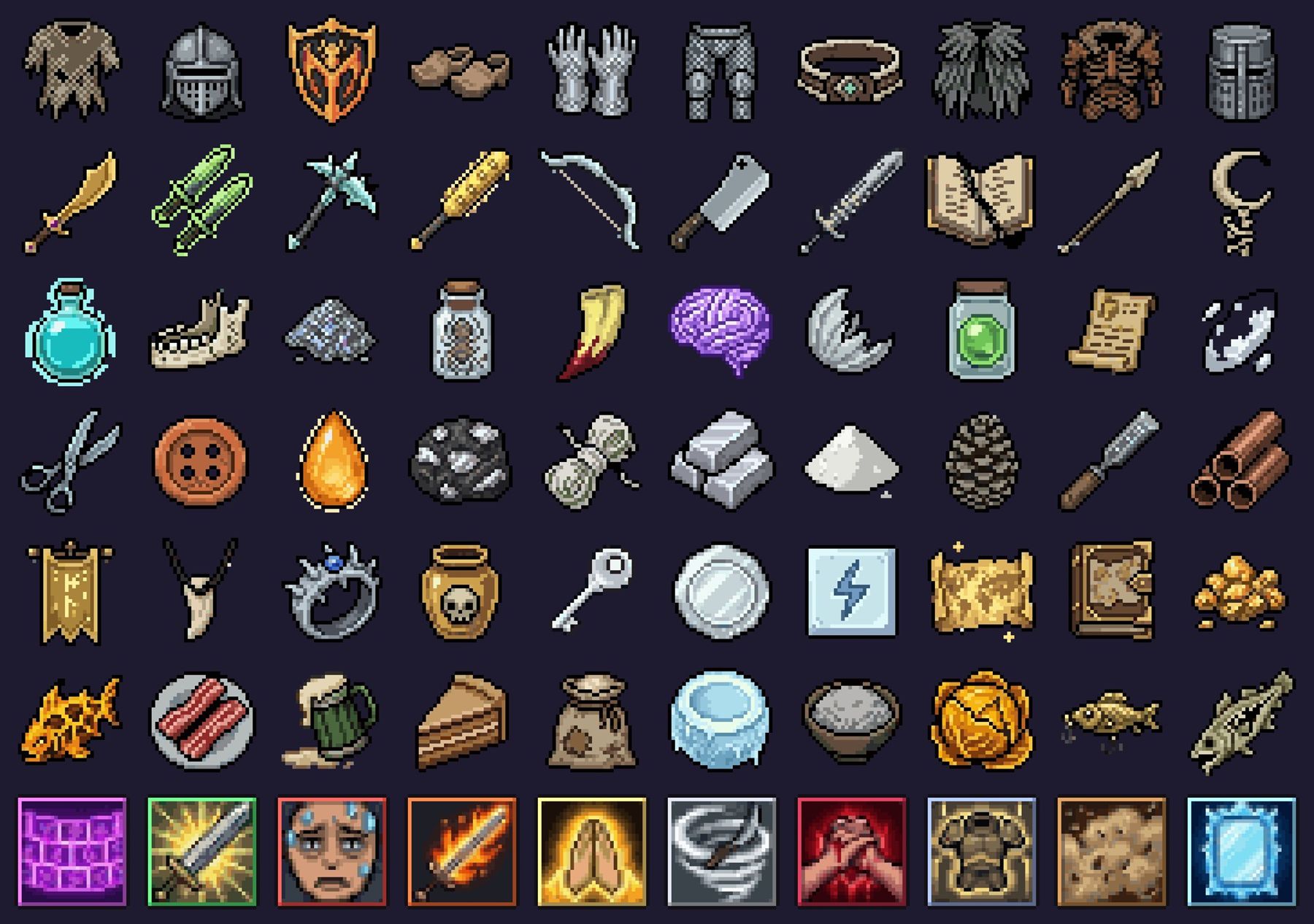
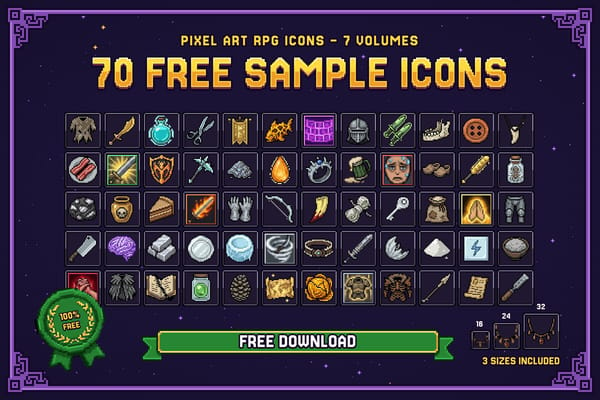
Test the style in your own UI before you commit: the free pack has 70 icons, 10 from each volume, in 16x16, 24x24 and 32x32 px transparent PNG. It uses the same commercial license as the paid packs.
The Full Set: 7,632 Pixel Art RPG Icons
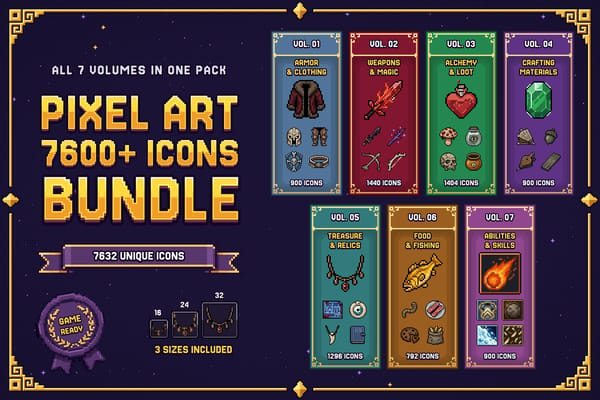
The bundle has all seven volumes: 7,632 icons, each in 16, 24 and 32 px. Every volume also includes spritesheets with a JSON frame map for game engines and ready RPG Maker IconSets (MV/MZ 32 px, VX Ace 24 px). File names are unique across volumes, so you can merge them into one folder.
Or pick one volume
| Volume | Icons | What's inside |
|---|---|---|
| Vol.1 Armor & Clothing | 900 | Helmets, chest armor, legs, gloves, boots, belts, cloaks, shields |
| Vol.2 Weapons & Magic | 1,440 | Swords, axes, bows, crossbows, polearms, staves, wands, orbs, grimoires, ammo |
| Vol.3 Alchemy & Loot | 1,404 | Potions, flasks, herbs, mushrooms, essences, bones, fangs, scales, trophies |
| Vol.4 Crafting Materials | 900 | Ores, bars, gems, stone, wood, textiles, tools, components |
| Vol.5 Treasure & Relics | 1,296 | Coins, rings, amulets, keys, scrolls, runes, relics, containers |
| Vol.6 Food & Fishing | 792 | Fish, fishing gear, meat, bakery, fruit, vegetables, drinks, meals |
| Vol.7 Abilities & Skills | 900 | Fire, frost, lightning, holy, shadow, nature, melee, ranged, buffs, debuffs |
FAQ
What size should pixel art icons be?
16x16 for low-resolution games and hotbars, 32x32 for inventories and tooltips where players need to see details, and 24x24 in between (it is also the RPG Maker VX Ace icon size). Choose one base size for your UI grid and only scale it by whole numbers.
Is 16x16 or 32x32 better for pixel art?
Neither is better in general. 16x16 is faster to read and fits retro, low-resolution games; 32x32 can show materials and small details, which helps when many items look alike. Using both is fine if both sizes come from the same set.
Why do my pixel art icons look blurry?
The engine is smoothing them. Set the texture filter to Point or Nearest, turn off compression, and display the icons at whole multiples of their size (2x, 3x, 4x).
Can I use free pixel art icons in a commercial game?
Only if the license allows it, so always check before you ship. Our free pixel art RPG icons can be used in commercial games; you may not resell or redistribute the icon files themselves.
More for Game Developers

Dedicated to empowering game developers with premium digital assets. We specialize in crafting immersive UI designs, distinct logos, and web solutions that take your game project to the next level.